Google Rolls Out July 2026 Pixel Update
Google pushes a critical Android 17 update to resolve a severe boot loop crisis, restoring stability to Pixel devices.

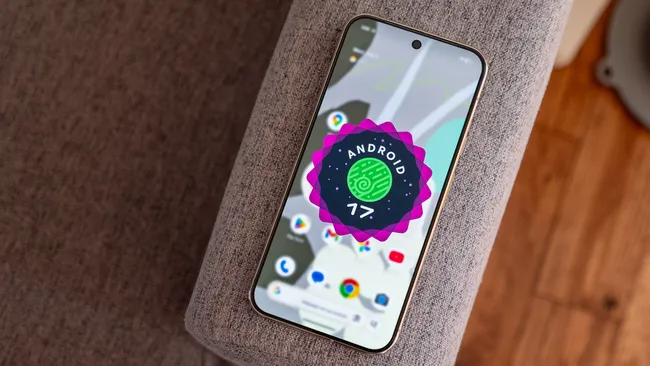
Image Credit: Nicholas Sutrich/Android Central
The mid-summer software cycle for major mobile operating systems is traditionally a quiet, stabilization-oriented period. Usually, the July patch for Google’s Pixel lineup consists of a handful of security vulnerability disclosures, a minor bump to the platform baseline, and very little drama.
However, the rollout of the July 2026 Pixel Update has broken that pattern. Arriving just weeks after Android 17’s official stable deployment on June 16, 2026, this patch addresses a severe structural crisis in the Pixel ecosystem: a relentless, device-crippling boot loop bug.
For a significant number of users, what was supposed to be a smooth transition to Android 17 instead turned into an endless cycle of the Google logo fading in and out on a black screen. With the July 2026 update, Google has officially delivered its first major post-launch maintenance pass to resolve this “device denial-of-service” failure, along with a tight package of four other critical platform and user interface fixes.
Anatomy of a Crisis: Tracing the Boot Loop Error
A phone that suffers from heavy battery drain or micro-stutters is frustrating; a phone that cannot cross the threshold from its bootloader into the operating system environment is a brick.
The root cause of this particular boot loop crisis stems back to issues first reported around the March 2026 Feature Drop, which later amplified during the final Android 17 Beta 4.1 and early stable rollouts. According to technical deep dives within the developer community, the primary culprit points squarely toward a failure in the Media Provider service, a fundamental, storage-related system component responsible for indexing media files across local directories.
When the storage component experienced a fatal crash or failed to properly mount user directories during the early initialization sequence, it blocked the core Android system server from loading. Because the system server couldn’t spin up, the kernel interpreted the stall as a critical system failure, forcing a hard reset.
The result? The device became trapped in an infinite restart loop, never reaching the user authentication screen. This bug was uniquely corrosive because traditional over-the-air (OTA) updates are pulled down and executed from within a functioning Android interface. Once a phone entered this loop, the standard path to recovery was completely blocked.
The Patch Architecture: What’s Inside Build CP2A.260705.006
Google’s July 2026 maintenance release is a heavily targeted, surgical strike. Rather than packing the update with speculative feature drops, Google restricted the patch to five clear fixes across four distinct technical domains.
| System Category | Technical Scope of the Fix | Affected Hardware |
| System | Resolves the Media Provider crash blocking system initialization; permanently cures the startup boot loop. | All supported Pixels (Pixel 6 through Pixel 10a) |
| Apps | Fixes a regression where applications unexpectedly closed or refused to initialize upon launch. | All supported Pixels |
| Framework | Resolves a color/contrast rendering bug where system widgets ignored high-contrast accessibility flags. | All supported Pixels |
| User Interface | Fixes an issue where wallpaper shape masking bled over foreground subjects instead of layering behind them. | All supported Pixels |
| User Interface | Fixes a display layer bug where navigation controls misaligned when folding/unfolding the chassis. | Pixel 10 Pro Fold exclusively |
The Core System and App Fixes
The absolute priority is the system patch. Google’s official changelog summarizes it directly: “Fix for an issue where some devices would fail to load the Android system or become stuck in a boot loop under certain conditions.” By implementing defensive coding parameters within the storage indexing architecture, the OS can now safely bypass corrupted or unreadable media system data structures without crashing the entire boot sequence.
Closely tied to this is a major fix for overall app launching. Following the initial June Android 17 upgrade, users frequently encountered situations where core applications would instantly crash upon opening. This patch stabilizes background RAM allocation and process-forking behaviors, ensuring that application execution remains predictable.
Resolving Accessibility and Visual Glitches
Beyond the critical stability patches, Google cleaned up several prominent visual bugs that marred the user experience of Android 17.
One notable fix addresses system widget contrast settings. Prior to this update, various native widgets would render with incorrect colors or contrast ratios, completely breaking custom themes. More importantly, it directly impacted users relying on high-contrast accessibility modes, as the widgets failed to adapt to user-defined visibility requirements.
Additionally, the patch fixes an issue involving Android 17’s cinematic wallpaper engine. A bug in the system’s depth-estimation framework occasionally caused the background shape effects to display directly over foreground human subjects, destroying the intended multi-layered aesthetic.
Tailored Care for Foldable Hardware
As Google pushes further into the premium foldable space, ensuring specific software optimization for unique aspect ratios is paramount. The July update includes a targeted user interface patch explicitly built for the Pixel 10 Pro Fold.
Users had heavily documented an error where the taskbar and three-button navigation controls would unexpectedly shift position, compress, or misalign when transitioning state from the narrow cover display to the large internal panel. The July patch forces immediate UI layer recalculations upon hinge actuation, keeping navigation inputs structurally uniform.
Device Coverage: The 21-Model Deployment Lifecycle
One of the most impressive feats of modern Android engineering is the vast hardware matrix Google must maintain simultaneously. The July 2026 update is rolling out in staggered phases to a massive fleet of 21 distinct device configurations spanning several generations of Google Tensor silicon.
The update applies to:
- The Vintage Era: Pixel 6, Pixel 6 Pro, and Pixel 6a.
- The Mainstream Fleet: Pixel 7, Pixel 7 Pro, Pixel 7a, Pixel 8, Pixel 8 Pro, and Pixel 8a.
- The Modern Generation: The Pixel 9 series and the entire flagship Pixel 10 lineup (including the Pixel 10, Pixel 10 Pro, Pixel 10 Pro XL, and Pixel 10 Pro Fold).
- Secondary Ecosystem Form Factors: The original Pixel Fold and the first-generation Pixel Tablet.
Interestingly, this patch carries an unusual detail regarding its security baseline. While it updates the device’s system files to the July 2026 security patch level, the dedicated Pixel Security Bulletin notes no new device-specific CVE patches for this build. This is because Android 17 originally shipped out of the gate with a default security patch level of July 1, 2026. The platform’s security vulnerabilities had already been patched ahead of schedule in June; this July release exists strictly as a functional, stability-focused correction layer.
Recovery Protocol: How to Revive a Loop-Trapped Device
For users whose phones are currently running smoothly, installing this patch is straightforward: navigate to Settings > System > Software updates > System update and pull down the over-the-air file.
However, if a phone is actively trapped in the boot loop, it cannot access the software update settings menu. To rescue these devices without losing local user data, advanced manual recovery paths must be deployed.
Stage 1: Navigating the Android Recovery Environment
To break the cycle, the phone must be manually forced out of the loop and booted into its base recovery partition, which bypasses the corrupted primary system sector.
- Cut the Loop: Press and hold the Power and Volume Down buttons simultaneously until the screen goes black, forcing the device into Fastboot Mode (indicated by a large Android mascot graphic and text menu).
- Select Recovery: Use the volume keys to scroll through the choices until Recovery Mode is highlighted, then tap the Power button to execute.
- Bypass the “No Command” Screen: When the fallen Android mascot appears with a red warning triangle, press and hold the Power button, tap the Volume Up button exactly once, and release both. This opens the text-based Android Recovery menu.
Stage 2: Sideloading the Rescue OTA via Computer
Once the recovery environment is stable, the device must receive the clean system image from an external computer using Android Debug Bridge (ADB) protocols.
Because devices trapped in this loop typically maintain a locked bootloader, standard Fastboot flashing mechanisms are strictly blocked by built-in security features. Attempting a standard command-line downgrade will often trigger error messages flagging the incoming file as an unauthorized system downgrade.
To overcome this, Google provides the specialized web-based Pixel Repair Tool (accessible via Chromium-based browsers). By selecting the option to Apply Update from ADB within the phone’s recovery text menu and connecting the handset to a computer using an authentic USB-C cable, the browser tool establishes a secure communication handshake. It pushes the full, high-timestamp Rescue OTA directly to the active system slot, completely repairing the corrupted Media Provider system dependencies while leaving the underlying user data partitions fully untouched.
Conclusion: Lessons from the Trust Crisis
The rollout of the July 2026 update highlights an increasingly critical discussion taking place within the broader mobile industry. As tech giants accelerate their software development cycles—pushing deep generative AI integrations, multi-layered visual depth processing, and advanced security models straight into the core framework of mobile operating systems, the fundamental bedrock of absolute software stability is showing signs of strain.
When an update breaks a feature or causes battery drain, it is an inconvenience. When a routine monthly maintenance update systematically locks users out of their primary communication tools via infinite boot loops, it crosses the line into an operational device failure.
By delivering a targeted patch that corrects these fatal startup bugs and stabilizing its platform code, Google has successfully stopped the bleeding across its 21-device fleet. Moving forward, the lesson remains abundantly clear: as software continues to evolve into increasingly complex territories, the most essential feature of any smartphone operating system will always be its ability to turn on reliably.